

THE L&L BLOG / Scrivener for iPad and iPhone

Finding Your Place in Scrivener for iOS

In Scrivener for iOS, the sidebar usually shows the binder (the list of files in the project). However, the sidebar can also be used to show the inspector and, on iPads, a Quick Reference editor for referring to research.

So that you don’t have to disturb the sidebar if you don’t want to, Scrivener gives you multiple options for navigating your project directly from the editor: you can switch documents using the Previous/Next buttons, select from the Recents list, or follow a Scrivener link to another document.

If you ever lose your place, simply tap the document title in the editor navigation bar to reveal the document in the binder. A further tap on the container title in the binder nav bar will show its full path in the project outline.
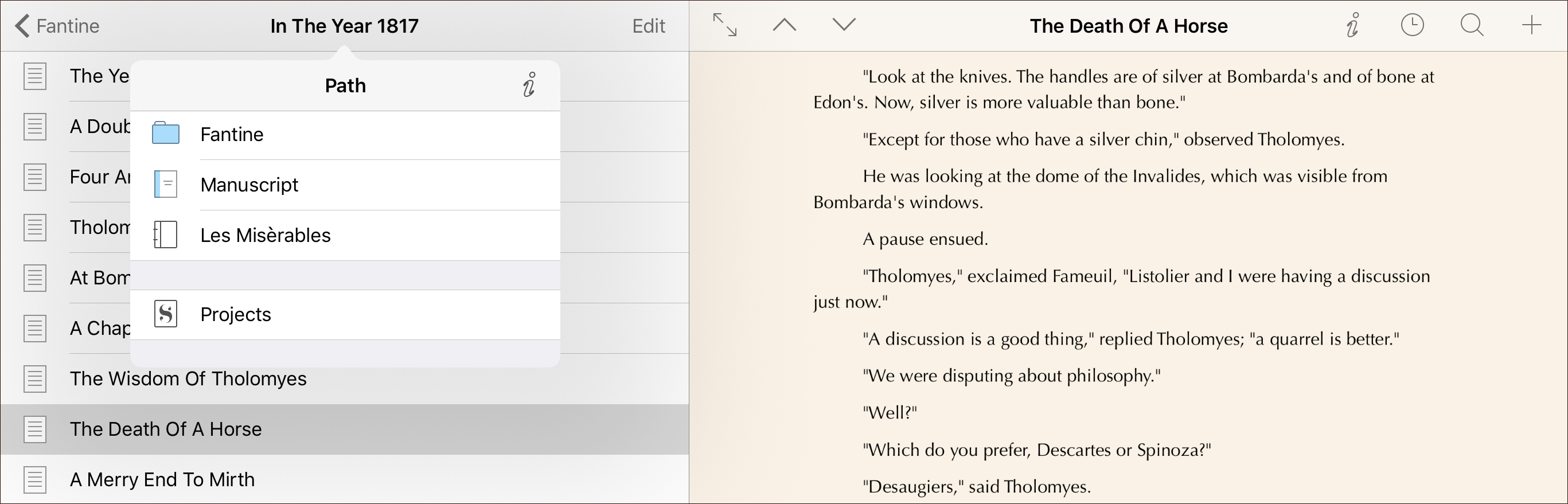
View the current group’s path in the project outline.


Scrivener for iPad and iPhone

The Big Scrivener Survey

Keith Blount / 13 OCTOBER 2020

Got fifteen minutes to spare? Help us shape the future of Scrivener by completing our survey.

READ MORE
Scrivener for iPad and iPhone

Version 1.1 of Scrivener for iOS

David Johnson / 8 JUNE 2017

We’re delighted to announce that in the next week or so, we'll be releasing our first major update...

READ MORE
Scrivener for iPad and iPhone

Scrivener in App Store Best of 2016

Keith Blount / 8 DECEMBER 2016

Many thanks to the lovely Apple folk at all the stores that have included Scrivener for iPad in their...

READ MORE

Keep up to date

Sign up for the latest news, writing tips and product announcements.
Delivered straight to your inbox.

This field is for validation purposes and should be left unchanged.